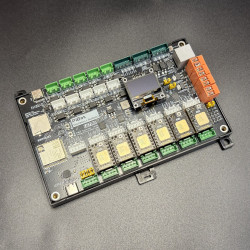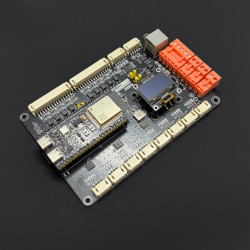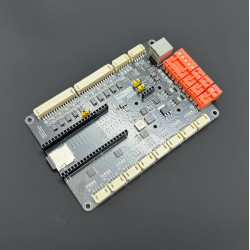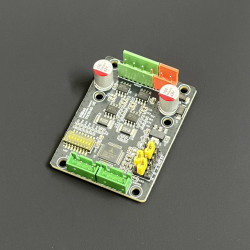


(1)-550x550w.png "PiBot FluidNC ESP32 GRBL Laser CNC Controller V4.96 Pro")
(1)-550x550w.png "PiBot FluidNC ESP32 GRBL Laser CNC Controller V4.96 Pro")
(1)-550x550w.png "PiBot FluidNC ESP32 GRBL Laser CNC Controller V4.96 Pro")
(1)-550x550w.png "PiBot FluidNC ESP32 GRBL Laser CNC Controller V4.96 Pro")


(1)-80x80w.png "PiBot FluidNC ESP32 GRBL Laser CNC Controller V4.96 Pro")
(1)-80x80w.png "PiBot FluidNC ESP32 GRBL Laser CNC Controller V4.96 Pro")
(1)-80x80w.png "PiBot FluidNC ESP32 GRBL Laser CNC Controller V4.96 Pro")
(1)-80x80w.png "PiBot FluidNC ESP32 GRBL Laser CNC Controller V4.96 Pro")


 INTEGRATED ESP32 · 4 DRIVER MODES
Six axes, four stepper-driver modes and an integrated ESP32 — PiBot's best-selling CNC & laser controller.
V4.96 Pro drives six motors from one board using on-board StepStick drivers, on-board SPI drivers (TMC2130), external standard drivers (TB6600/DM-style) or external SPI drivers (TMC5160) — in almost any combination. FluidNC provides Wi-Fi WebUI and YAML configuration; grblHAL and GRBL1.1f are supported as additional firmware options. V4.96 Pro is compatible with most V4.9PB configurations and adds a 4-layer PCB, optimized SPI signal routing and selectable limit-switch voltage.
 Why Choose V4.96 Pro?
 FluidNC Ready — The Main Firmware
FluidNC is optimized for ESP32 motion controllers. It provides a built-in browser WebUI and defines the machine in a text-based YAML file, so normal machine configuration does not require compiling firmware. PiBot ships V4.96 Pro pre-loaded with a factory test YAML so the checklist below can be followed before any machine-specific configuration is written.
 Hardware at a Glance
The numbered overview below is maintained with the current Wiki and matches the supplied factory test YAML. FluidNC pins are fully re-assignable in YAML, so treat these as the tested starting point, not a fixed pinout, when wiring a real machine.
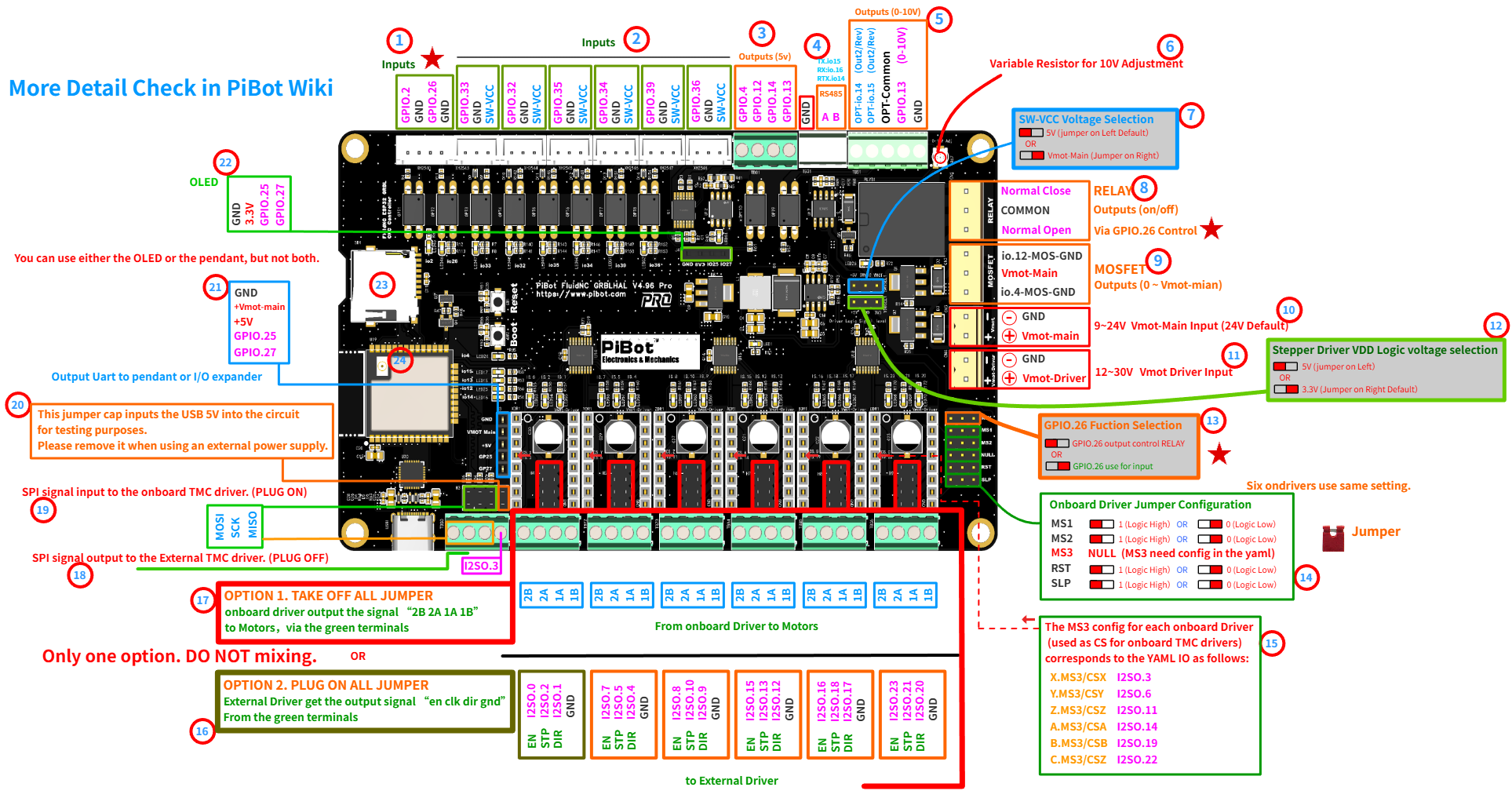
Current V4.96 Pro pin & jumper overview — click to open the full-resolution image.
 Four Stepper-Driver Modes on One Board
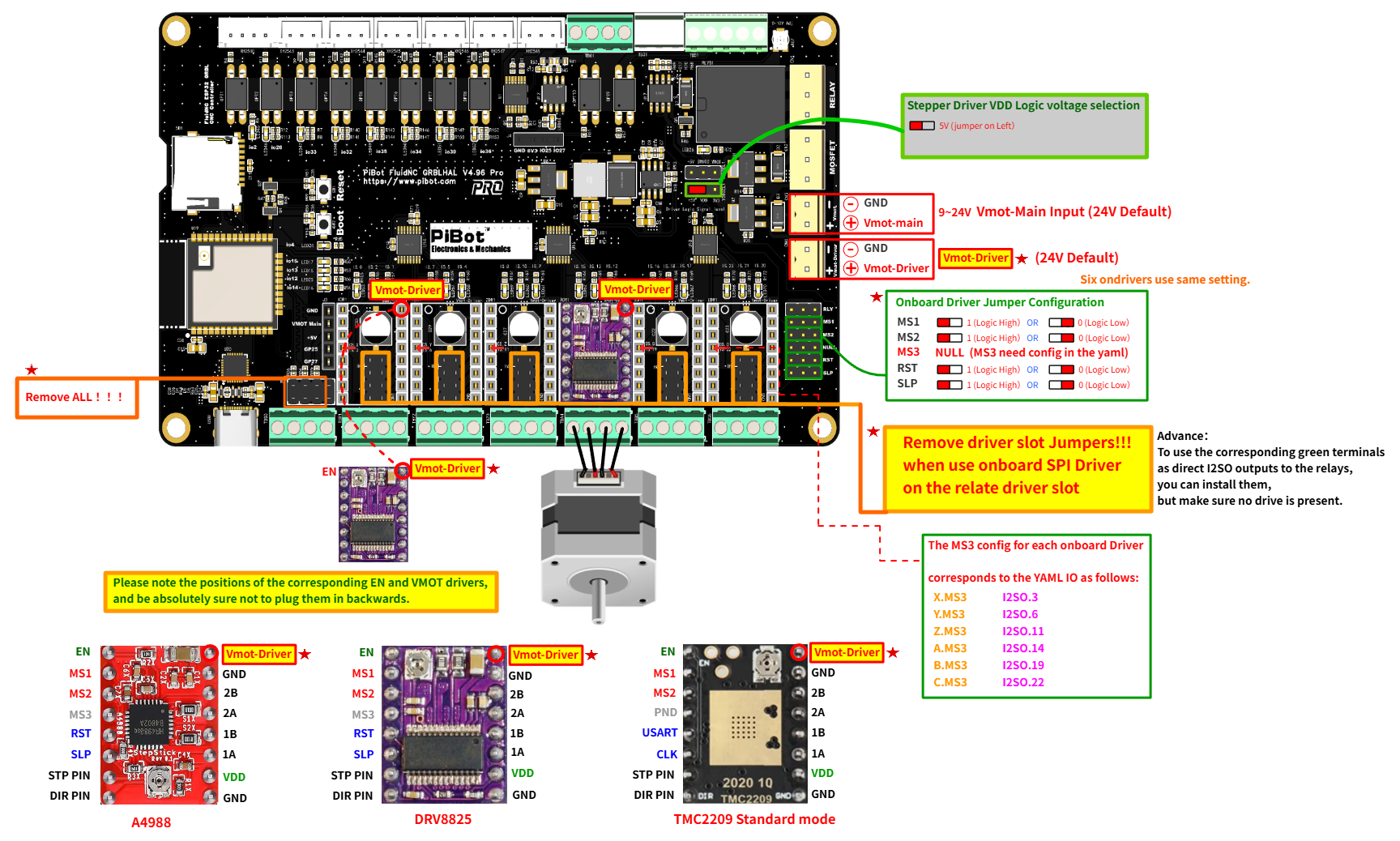
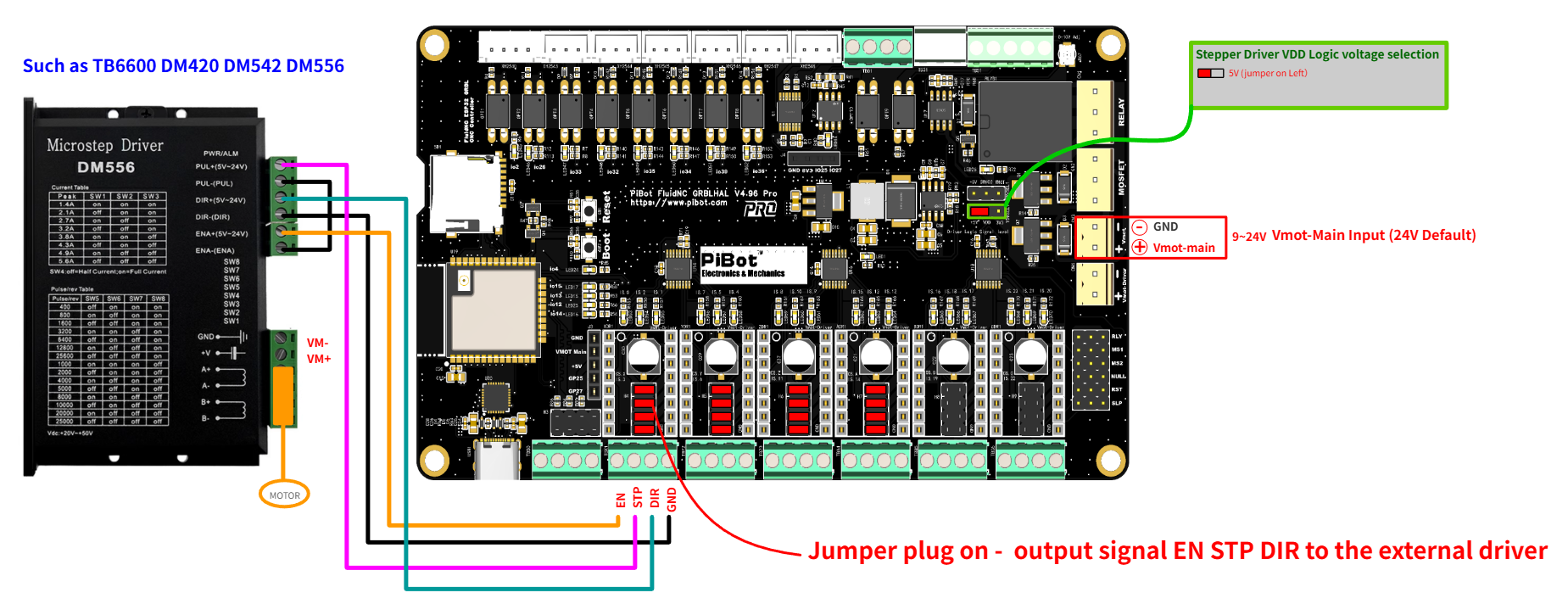
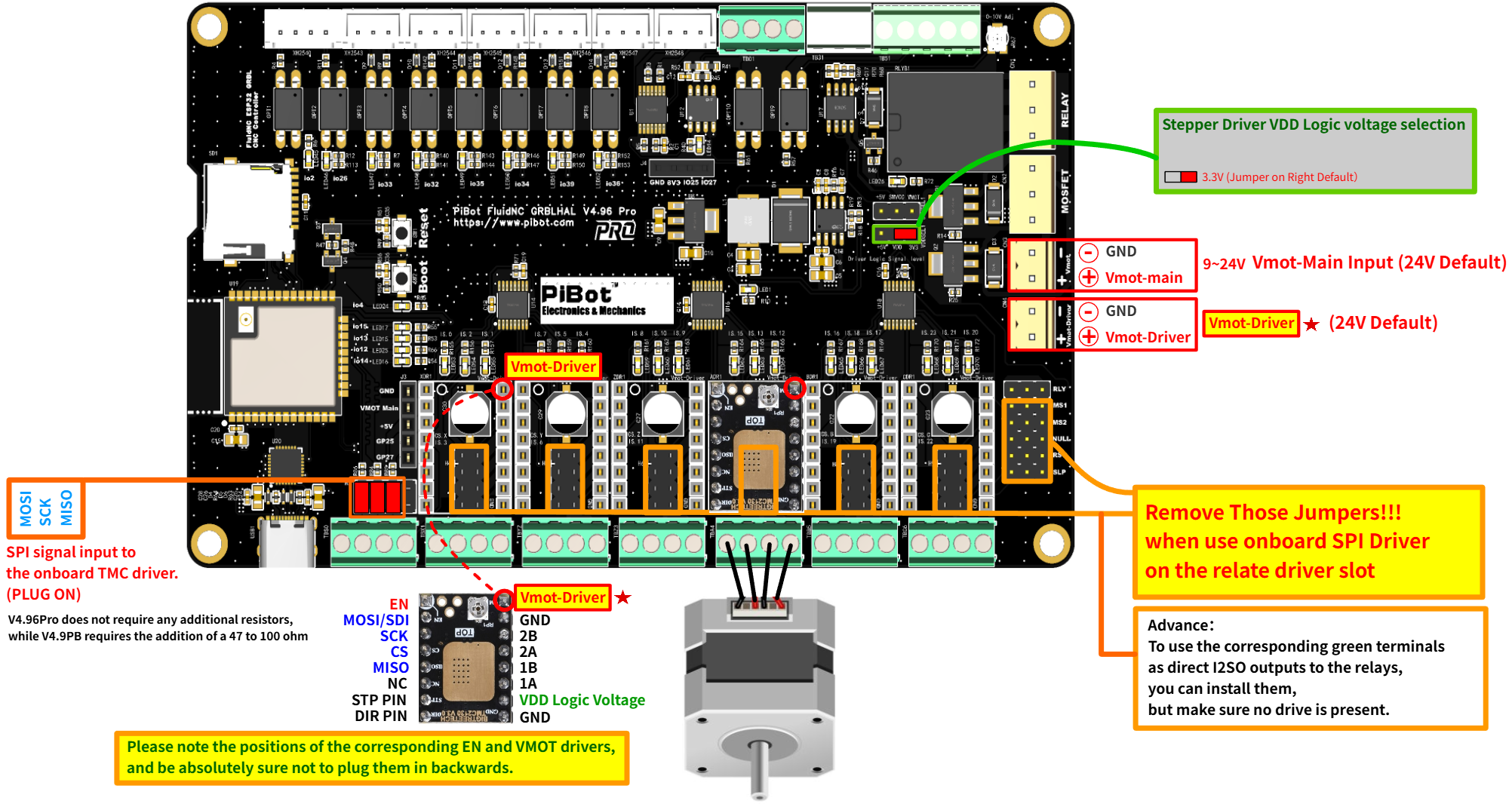
V4.96 Pro is built to fit more machines without swapping boards. Each of the six motor positions can be wired for on-board StepStick drivers, on-board SPI drivers, or routed to the green terminal blocks for external standard or external SPI drivers — selected with jumpers, not solder changes.
A4988, DRV8825, TMC2208, TMC2209. Remove all SPI jumpers; set MS1/MS2 on-board and MS3 in YAML.
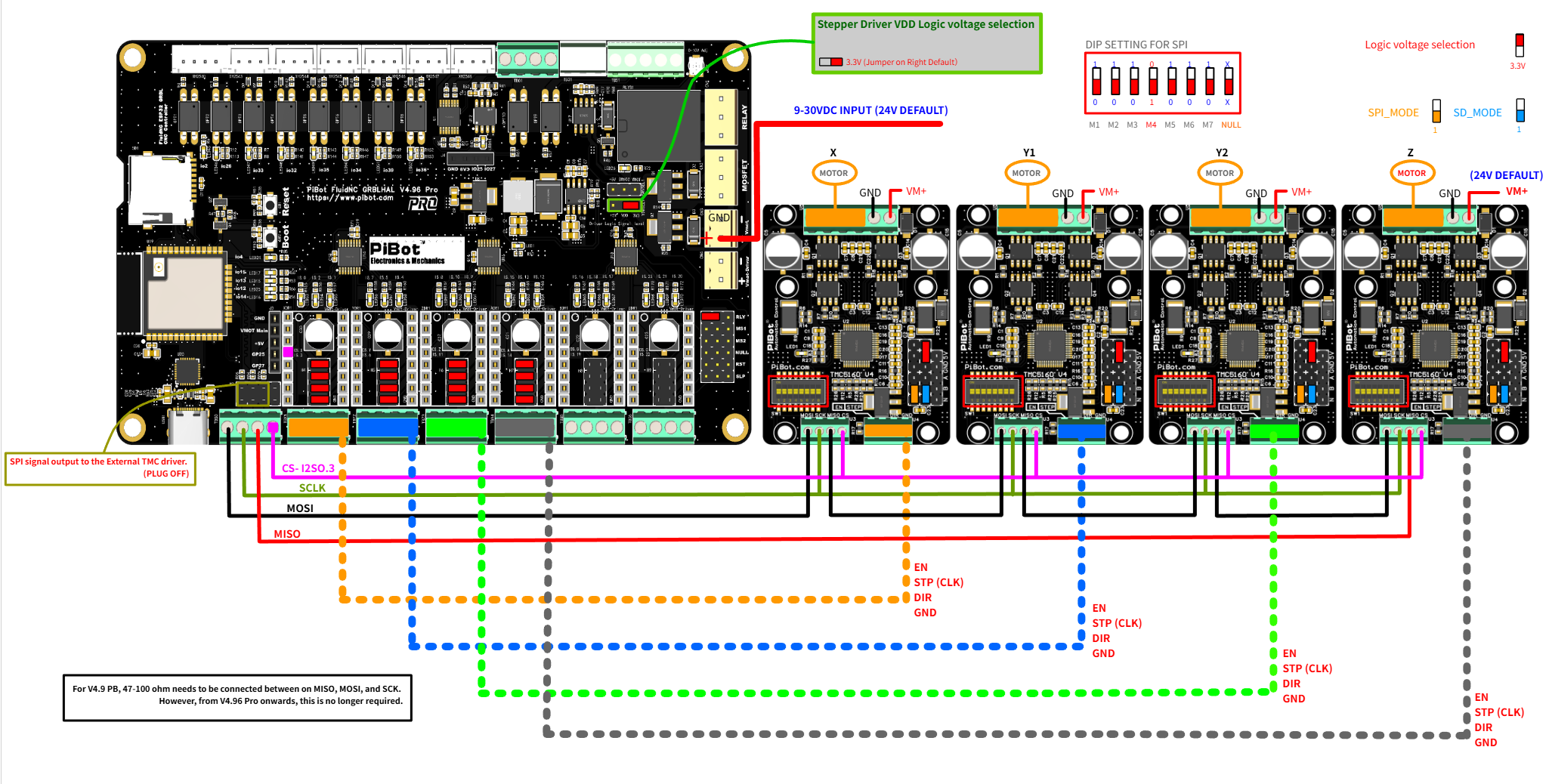
TB6600, DM420, DM542, DM556. Insert slot jumpers to route EN/STP/DIR/GND to the green terminals; remove on-board MS1/MS2/RST/SLP.
TMC2130, independent SPI mode — each driver uses its own CS pin. Insert SPI jumpers; remove driver slot and on-board configuration jumpers.
TMC5160, daisy-chain SPI mode — drivers share one CS pin (default I2SO.3). Remove SPI jumpers; insert driver slot jumpers.
 Spindle, Laser and Auxiliary Control
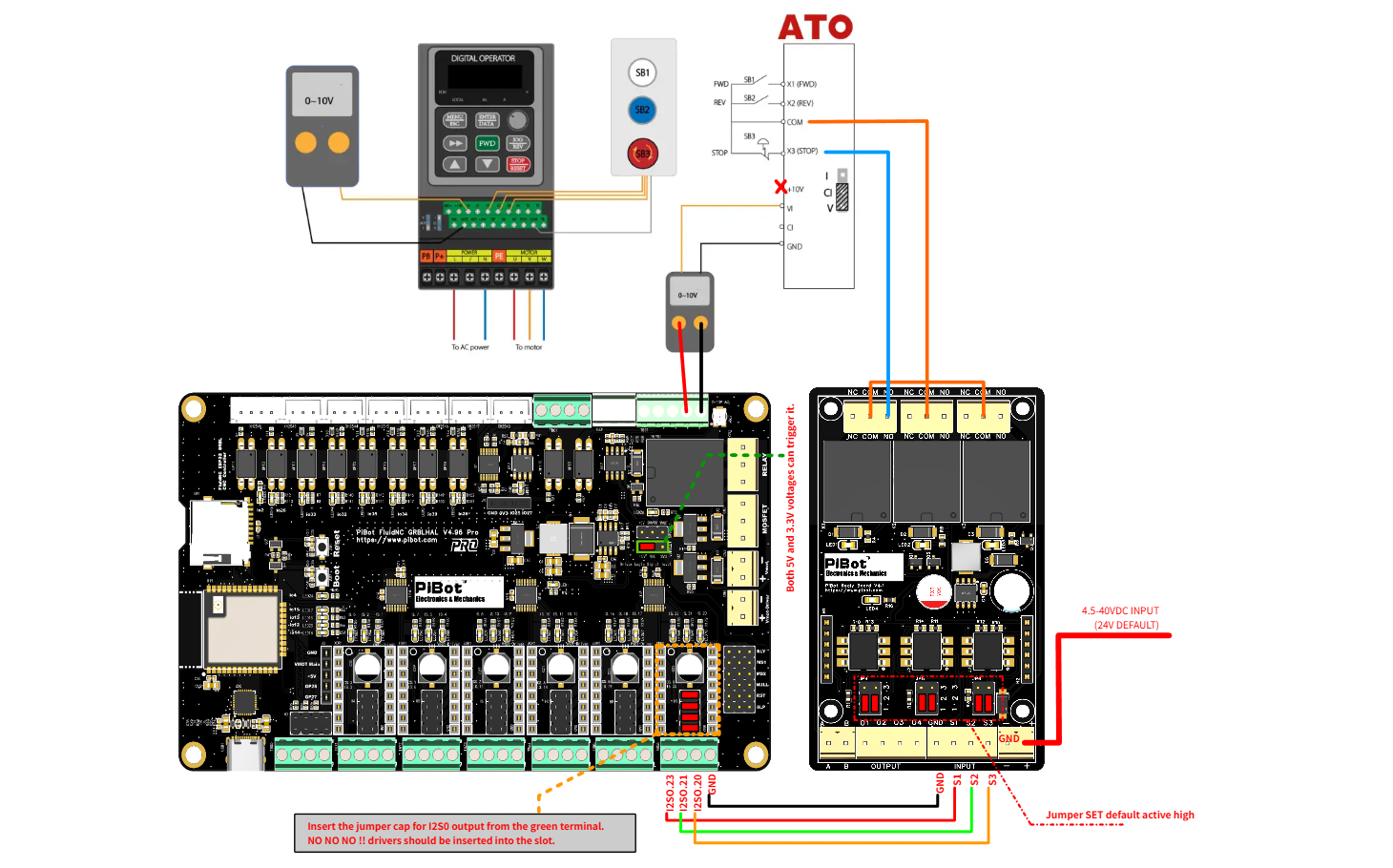
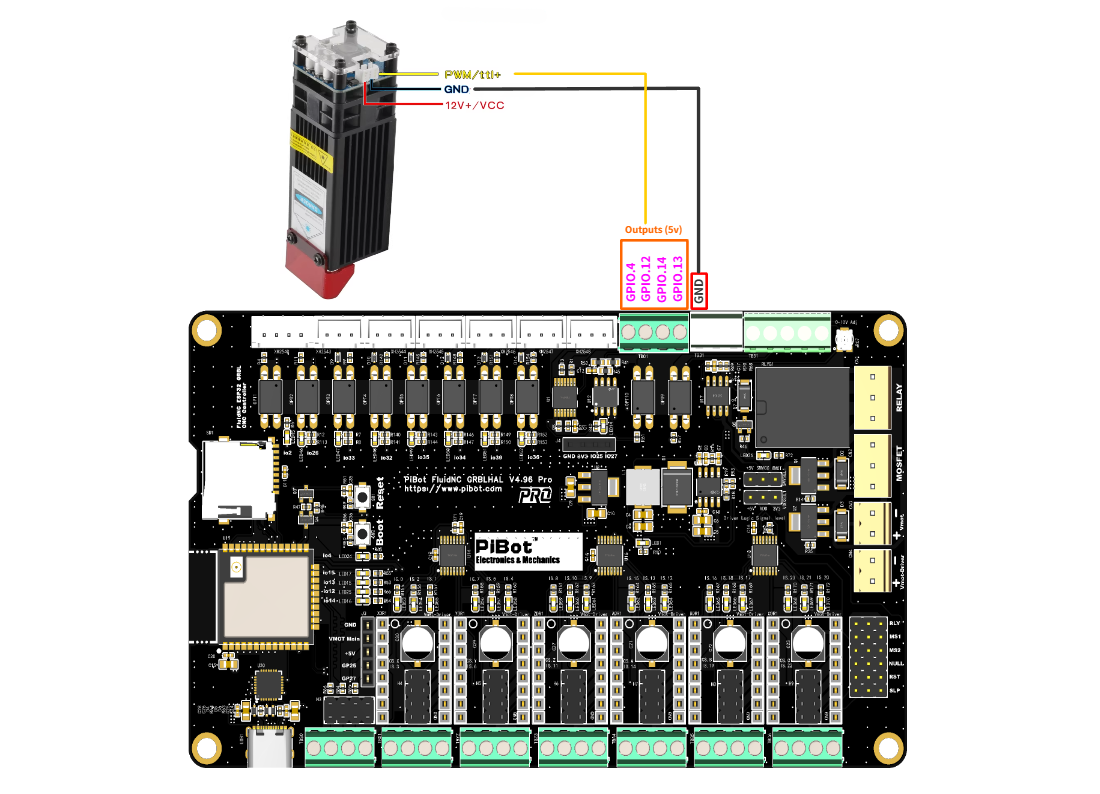
V4.96 Pro supports multiple spindles on one machine, switched by G-code tool number (M6 Tn). Lasers are treated as spindles, so a single job can combine, for example, an ATC spindle and a laser.
0–10 V VFD connection example
Laser PWM connection example
 Two light-load MOSFET outputs
GPIO.4 and GPIO.12 also control the matching low-side MOSFET channels. Each channel is limited to 1.5 A maximum on V4.96 Pro.
 Inputs and Limit Switches
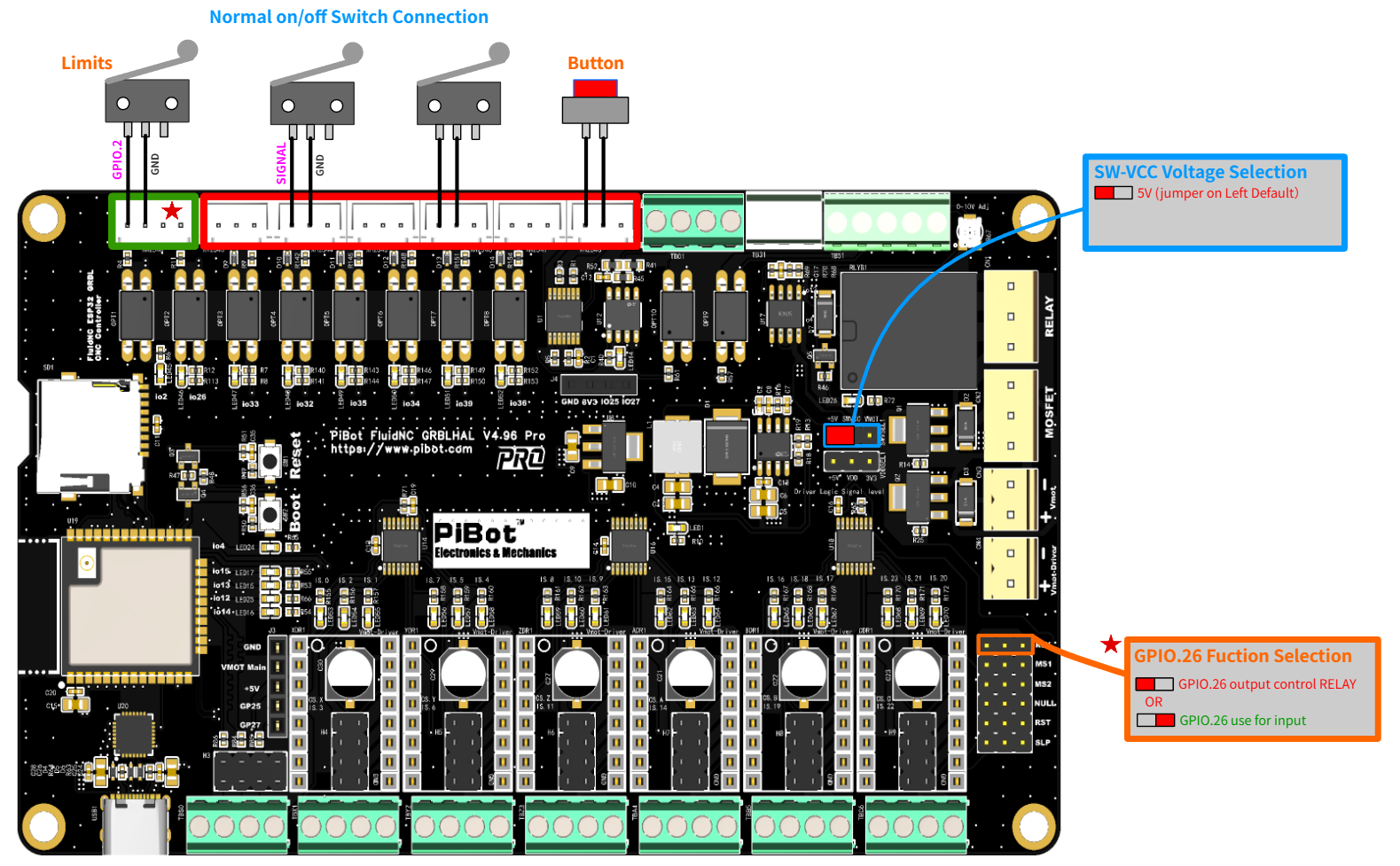
The SW-VCC jumper sets the voltage reference for switch inputs, so V4.96 Pro can work with three different switch types on the same board (though 5 V and Vmot-main switches cannot be mixed in the same system).
 OLED, Pendant and I/O Expander
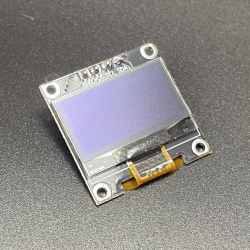
An optional OLED can display controller status. The RJ12 expansion port supports a compatible PiBot pendant or I/O expander, using the documented UART pinout.
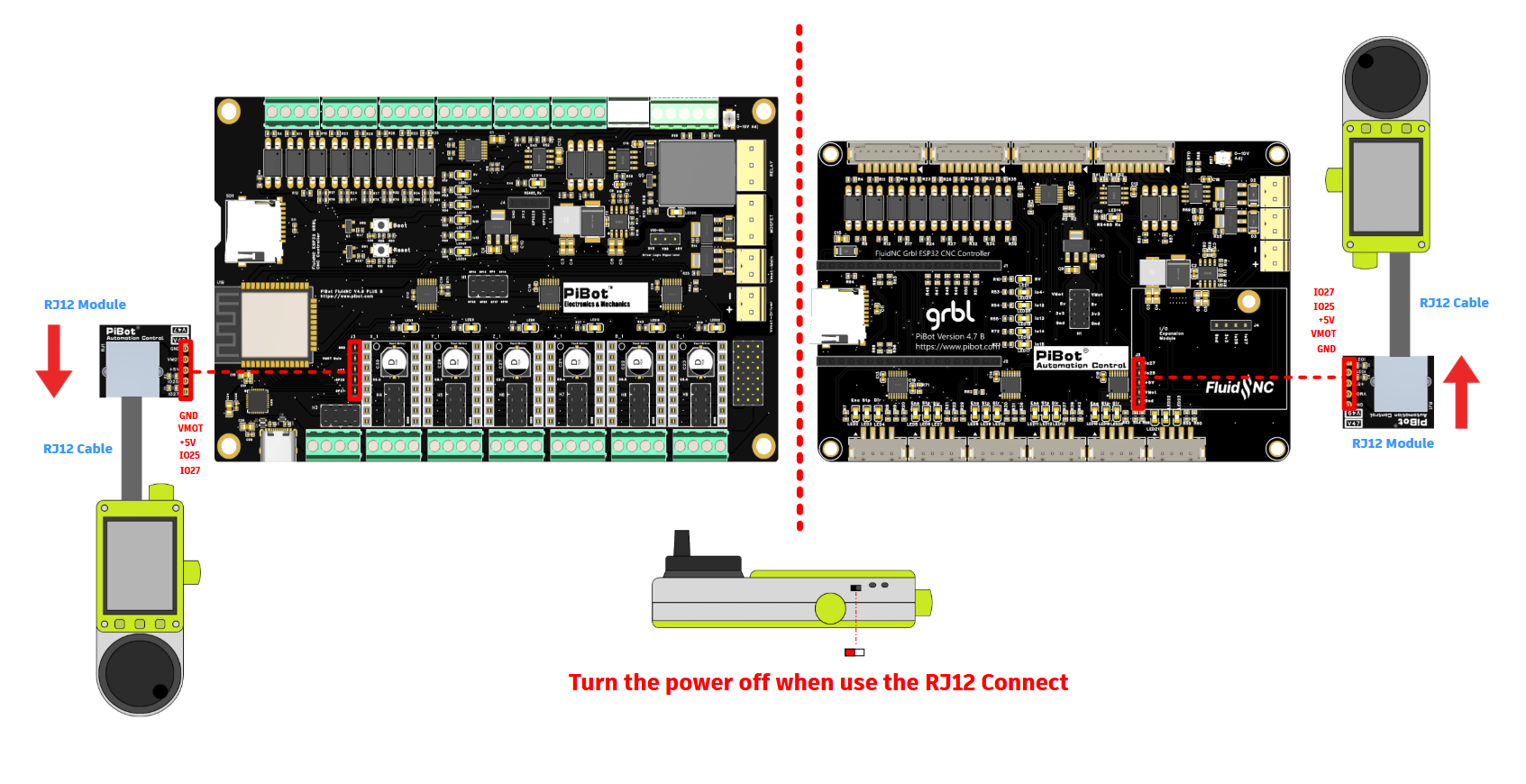
Optional RJ12 pendant connection
 V4.96 Pro vs. V4.9PB
V4.96 Pro is compatible with V4.9PB: most existing V4.9PB YAML configurations and settings carry over directly. The changes below are what's new on V4.96 Pro.
| Area | What changed on V4.96 Pro |
|---|---|
| PCB | 4-layer, impedance-controlled design; capacitor ratings raised from 35 V to 50 V |
| SPI routing | Dedicated power plane and optimized SPI signal routing; no longer needs the 47Ω resistor V4.9PB required |
| SPI chip-select wiring | External SPI port uses I2SO.3 (CS.X) instead of GPIO5 for more intuitive wiring |
| Limit-switch voltage | SW-VCC selector adds a high-precision, high-voltage (12/24 V) industrial NPN sensor option alongside standard and compatible 5 V pull-low types |
| Limit-input protection | Diode protection and status LEDs added to limit-switch inputs |
| Signal indicators | Status LEDs added on every stepper-motor signal output, not just power and inputs |
 V4.96 Pro Specifications
| Item | V4.96 Pro |
|---|---|
| Controller | Integrated ESP32, pre-flashed with FluidNC and a factory test YAML |
| Main firmware | FluidNC with Wi-Fi WebUI and YAML configuration |
| Additional firmware | Official grblHAL ESP32 PiBot 6-axis I2S target; GRBL1.1f compatibility mode via grblHAL |
| Motor outputs | 6 axes; each position configurable as on-board StepStick, on-board SPI, or routed to green terminals for external standard/SPI drivers |
| Tested drivers | On-board TMC2130; external TMC5160; standard StepStick modules (A4988/DRV8825/TMC2208/TMC2209); external TB6600/DM-style drivers |
| Spindle / laser | 5 V PWM, laser PWM, adjustable 0–10 V, on-board relay, and Modbus RTU over RS485 |
| MOSFET outputs | 2 low-side channels (GPIO.4 / GPIO.12), 1.5 A maximum per channel |
| Limit switches | Standard dry contacts or compatible 5 V / 6–24 V NPN pull-low sensors (SW-VCC selectable); diode-protected with status LEDs; PNP not compatible |
| Storage | microSD (TF) card socket; avoid very high-speed or high-capacity cards |
| Display / expansion | Optional OLED or RJ12 pendant/I/O expander; OLED and RJ12 share GPIO.25 / GPIO.27 and are mutually exclusive |
| USB | USB-to-UART bridge (CP2102-class) on-board |
| Wireless | Wi-Fi via external antenna (required for signal); Bluetooth via the optional Pendant V4 accessory |
| Controller power | 12–24 V DC (24 V recommended), correctly polarized |
| Enclosure | Fits the PiBot 150 × 90 × 40 mm electronic box (sold separately) |
 What Is Included?
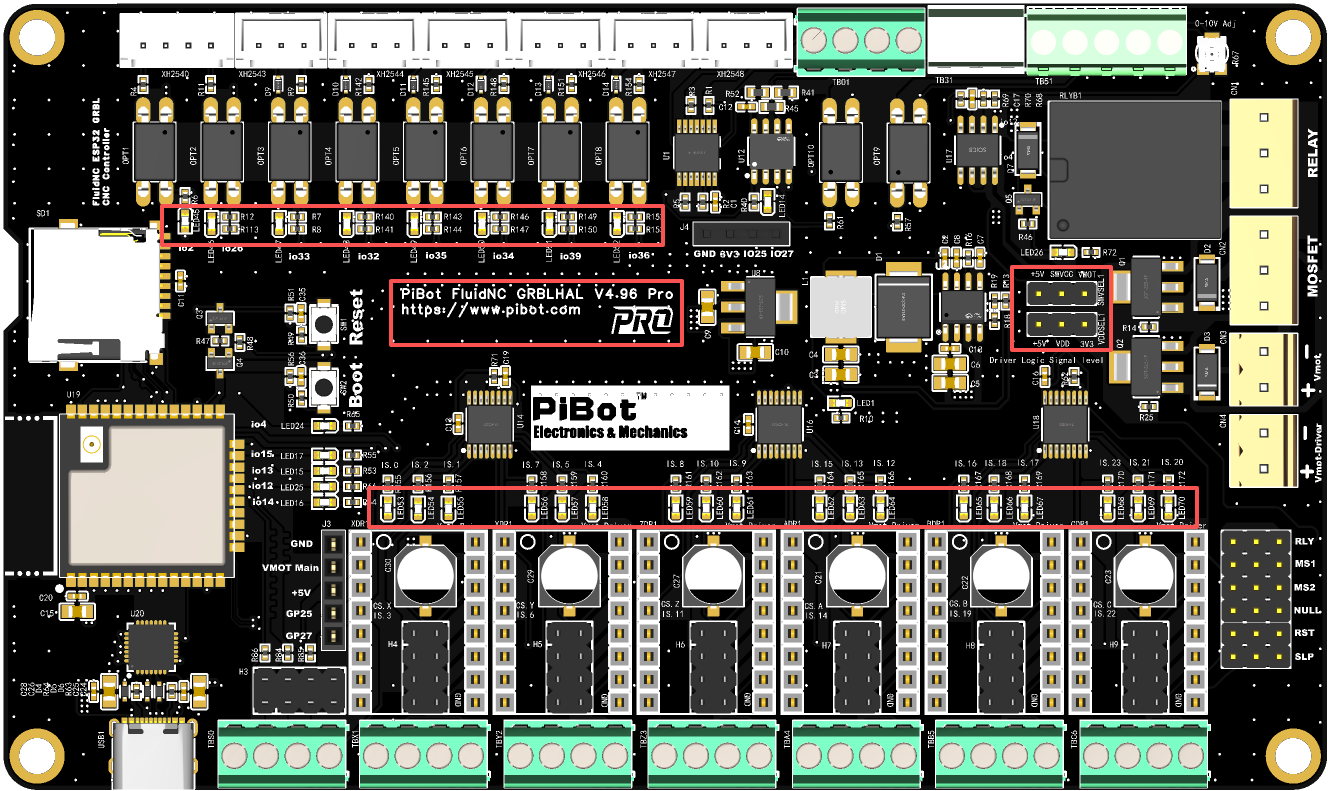
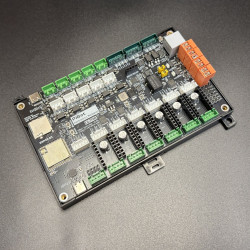
V4.96 Pro board with integrated ESP32 — silkscreened "PiBot FluidNC V4.96 Pro".
- PiBot V4.96 Pro Controller Board × 1
- Jumpers Set × 1
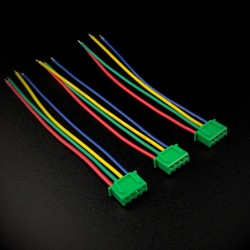
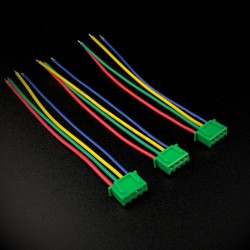
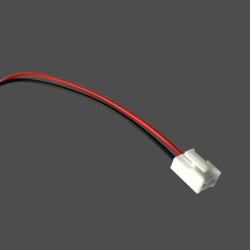
- Cable Set × 1
 Compatible PiBot Accessories
These PiBot accessories are shared across the V4 controller family (V4.7B, V5.77, V4.96 Pro) and are sold separately unless the matching product option is selected.
%20(1)-550x550w.png) Electronic Box150×90×40 mm
Electronic Box150×90×40 mm
 OLED Display0.96" I2C
 IsoSwitch Relay Boardoptocoupler isolated
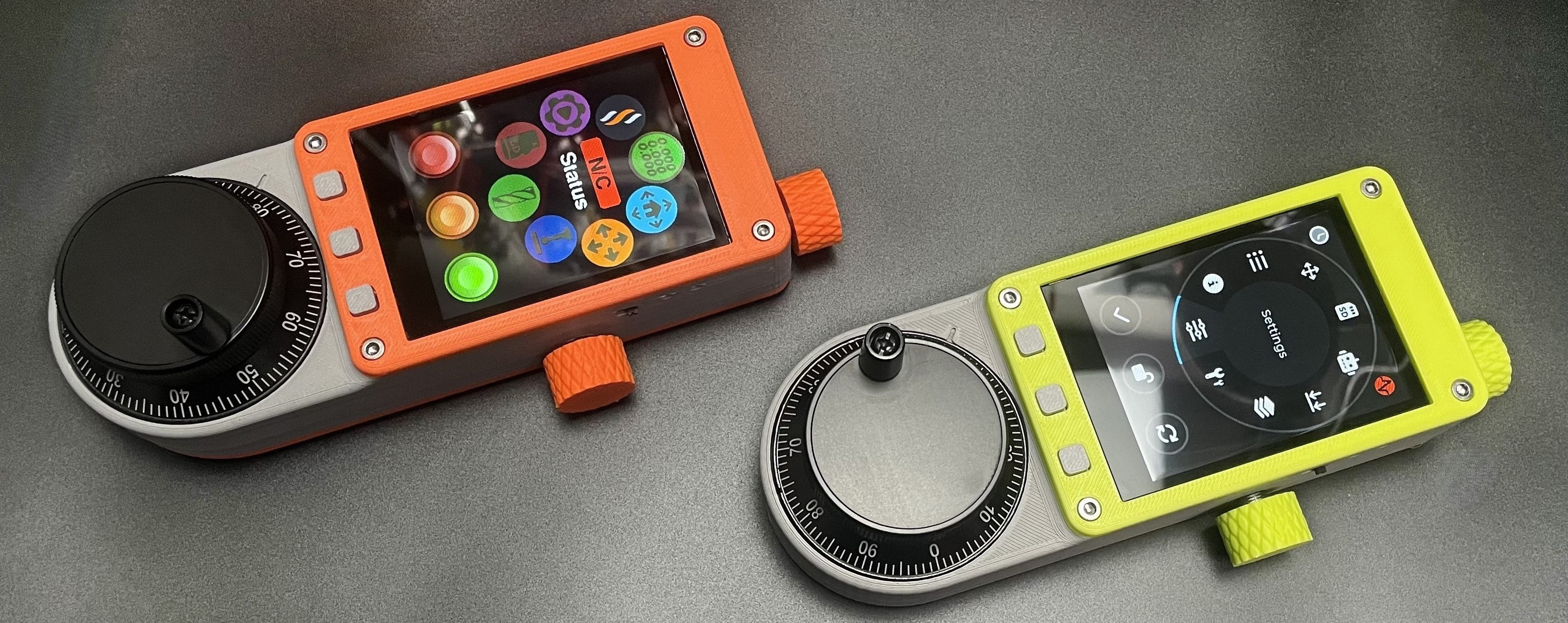 CNC Pendant V4.0RJ12 / Bluetooth
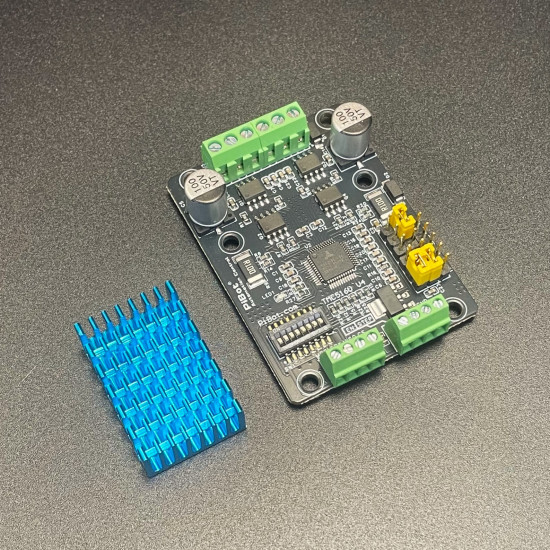 SilentStep TMC5160external SPI driver
 Setup and Hardware Videos
The current V4.96 Pro Wiki is an interactive, step-by-step checklist — required tools, jumper checks, command cards and pass/fail results for every test. This 9-video playlist follows the same checklist, one video per step: jumper check & power-on, Wi-Fi & WebUI login, axis test, endstop test, PWM test, 0–10 V test, laser test, relay test and USB driver test.
The four videos below are original reference videos retained from earlier V4/V4.9PB documentation. Interfaces, download packages and example configurations may have changed; use the current V4.96 Pro Wiki and the checklist series above for the exact firmware, YAML and command sequence.
5-Minute FluidNC Setup
Firmware and WebUI Overview
Relay / PWM / Laser / 0–10V Test
Connect Hardware: Limits, Probe, Motor, Relays
 Product and Reference Gallery
Additional product and PCB references are shown below. Current electrical limits, signal assignments and firmware procedures are defined by the V4.96 Pro Wiki and schematic for the exact board revision.
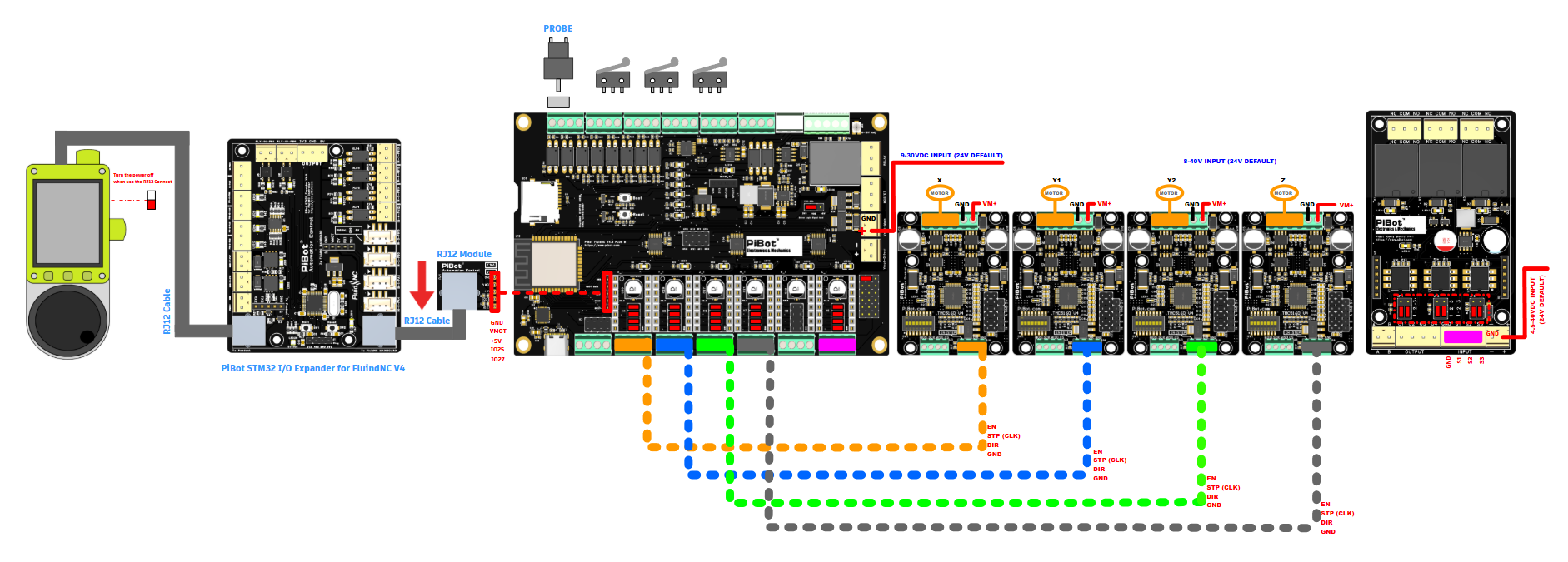
PiBot V4 series family overview; availability follows the selected product option.

V4.96 Pro annotated connector reference

V4.96 Pro annotated output & jumper reference
.png)
Board dimensions (from the V4.9 Plus generation; V4.96 Pro shares the same footprint and 150×90×40 mm enclosure).
 Firmware and Software Compatibility
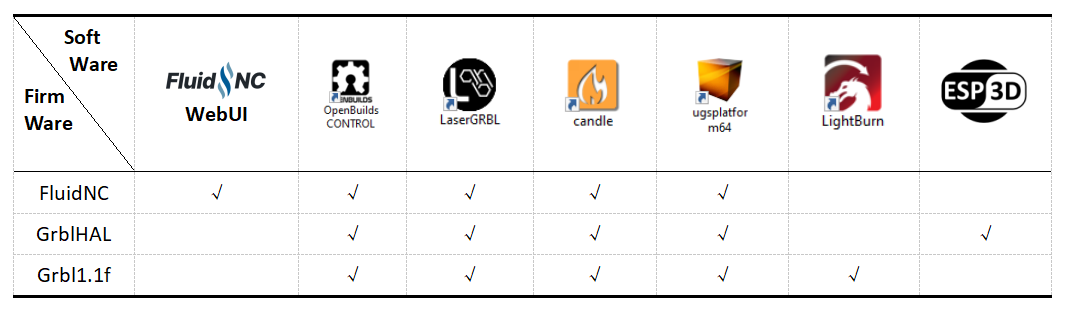
LightBurn officially lists GRBL, FluidNC and grblHAL as supported GCode controller firmware. Check the PiBot Software Introduction and the software vendor's current documentation before final machine setup.
 Current V4.96 Pro Schematic
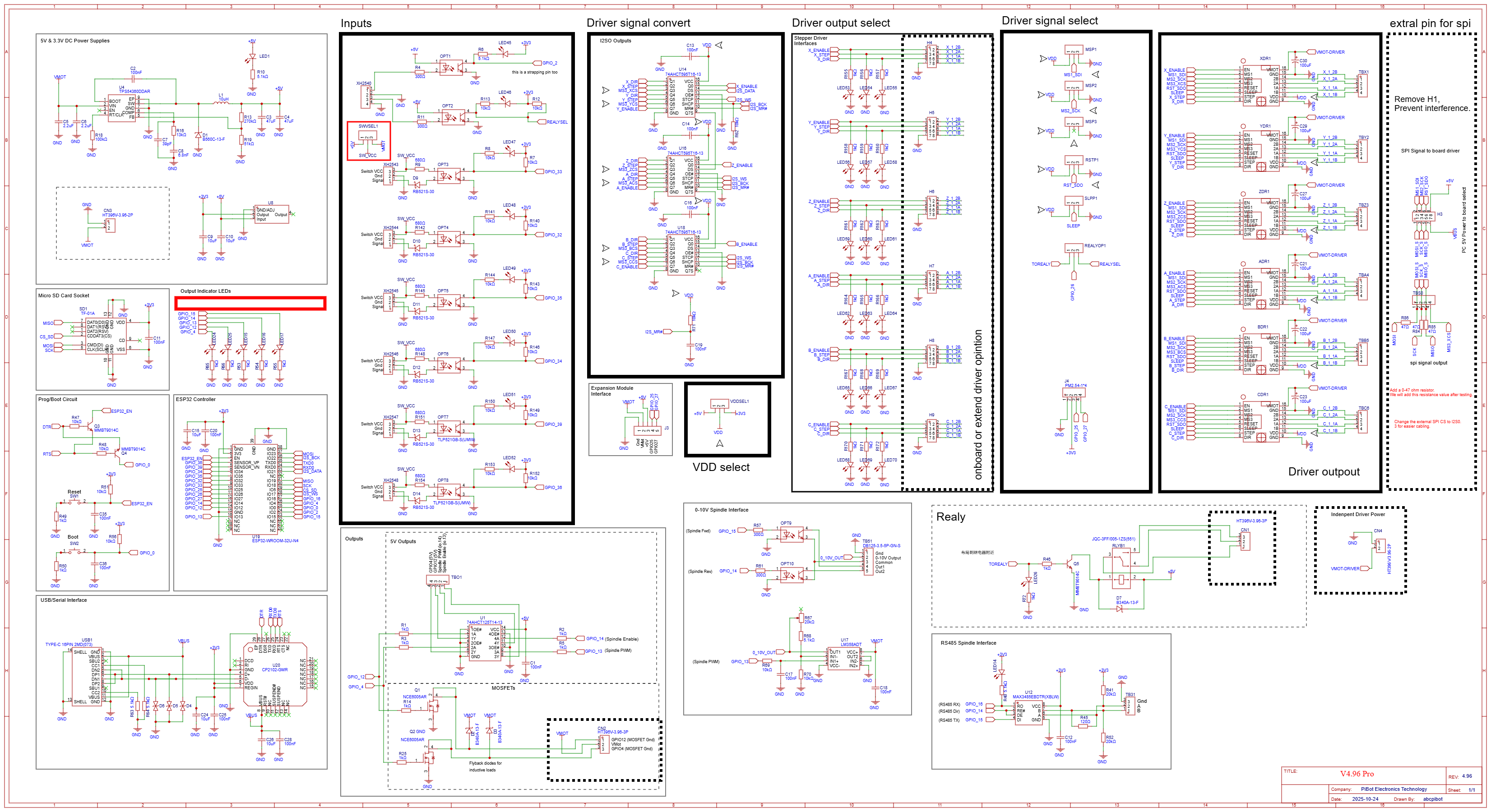
Current V4.96 Pro schematic — click the image to open full size.
Before First Power-On
- Use 12–24 V DC only and verify VIN/GND polarity before applying main power. 24 V is recommended for stepper driver headroom.
- Remove the USB 5 V test jumper before connecting the main power supply.
- Match jumpers to your chosen driver mode before power-on, and never mix SPI mode with on-board or external standard-driver jumpers on the same axis.
- Test motor, input, PWM/laser/0–10 V/RS485 signals via the WebUI before connecting the final motors, VFD or laser load.
- MOSFET limit: 1.5 A maximum per channel. Use an external relay or suitable power driver for heavier loads.
 Quick Buyer FAQ
 Looking for Earlier Documentation?
V4.96 Pro replaces V4.9 Plus B in current production, and most V4.9PB documentation, tutorials and videos still apply. If you own an earlier board, or you're looking for the previous (pre-August 2026) version of this product page, the original documentation remains available below.
 Documentation, Downloads and Support
PiBot Controller V4.96 Pro · Product description updated 2026-08-07
-250x250.jpg "DRV8825 Stepper Motor Driver")
%20(1)-250x250h.png "IPEX to SMA external antenna")
-250x250w.png "IPEX to SMA external antenna")
%20(1)-250x250w.png "PiBot Electronic Box V4")
-250x250w.png "PiBot Electronic Box V4")